Vellum Workshop — from Ashlar-Vellum
Design doesn't start or stop at the drawing.
An AI-assisted design workspace where notes, sketches, CAD files, models, presentation images, video, precision field captures, and Ashlar-Vellum tools coalesce around each project.
Capture the idea. Shape the design. Show the result.
Capture — now in alpha on iOS · Android on the way
What are you capturing today?
Bring real-world parts, spaces, sketches, documents, and precision field measurements into the project from your iPhone or iPad — before the idea gets lost. Every measurement carries its value, unit, and source grade.
Join the iOS beta → Join the Android beta →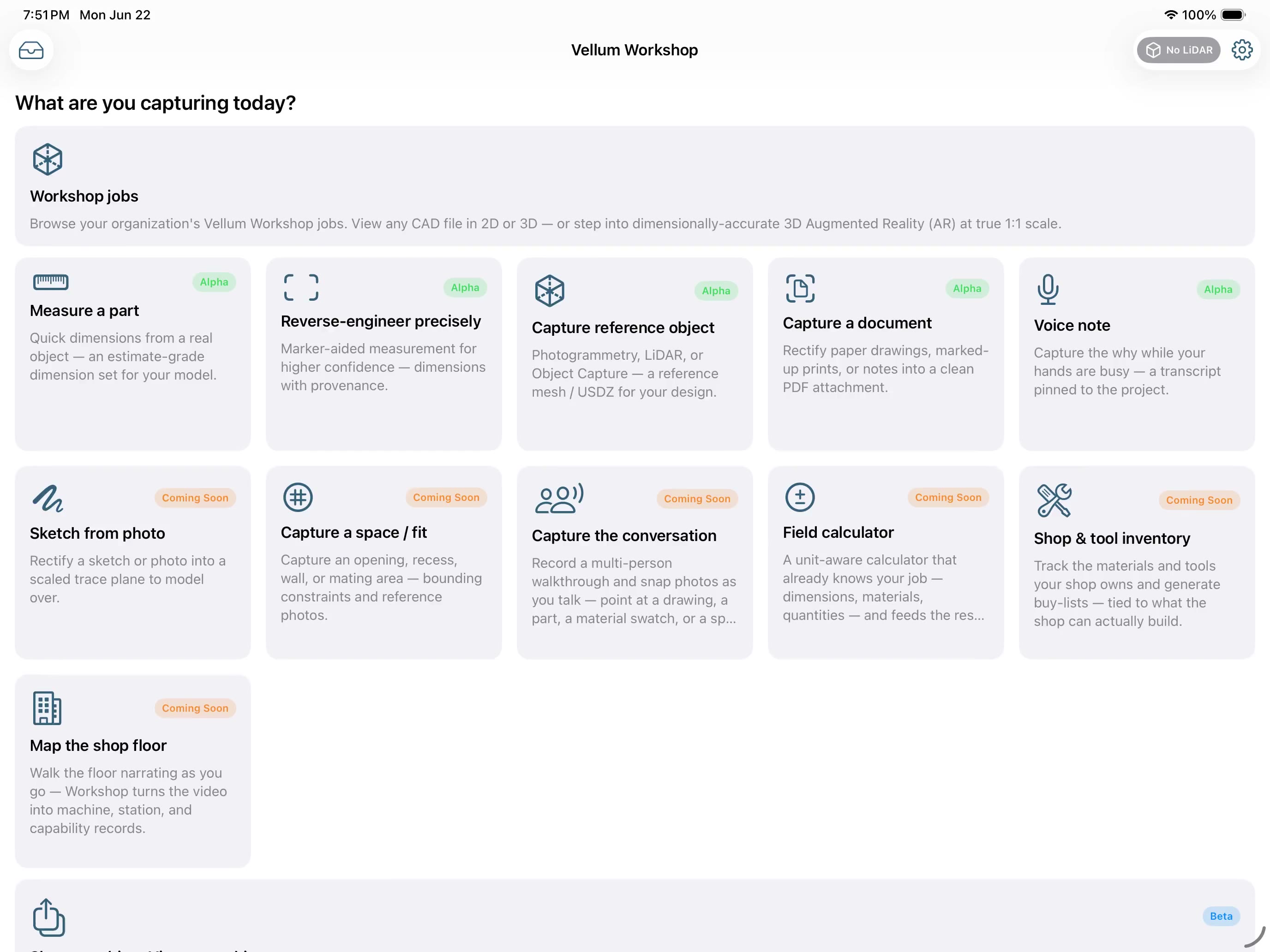
The Workshop
Capture Soon
Bring early design context into the project — notes, sketches, photos, documents, voice notes, and precision field measurements, before it gets lost.
Open Alpha
Upload, inspect, recover, translate, and export legacy or third-party CAD files so old work can become usable again.
Configure Alpha
Generate designs from parametric catalogs, project dimensions, and reusable rules — gears are first up.
View Live
Inspect design work in 2D and 3D in the browser — models, drawings, sections, and project review without losing context.
Render Soon
Smart Render turns CAD geometry into presentation images, stylized drawings, product visuals, and material studies — guided by AI, grounded in your geometry.
Video Soon
Short AI-generated presentation videos from CAD views: walkarounds, push-ins, reveals, and visual storytelling clips for clients.
Run Soon
Use Graphite, Cobalt, Xenon, or Argon on demand — pay for the task, not a whole new license for occasional work.
Review Alpha
Share, comment, approve, and deliver — keep decisions and deliverables connected to the project.
Guided by AI. Grounded in your geometry.
Vellum Workshop assists the design process — it never replaces the designer. Every captured measurement carries its value, unit, and source grade, so you always know what to trust.
The desktop software
Cobalt
The ultimate 3D modeling tool — Class-A NURBS surfaces, ACIS solids and wireframe with on-demand parametrics.
Xenon
3D modeling power and finesse without constraints — Cobalt's core modeling at a more moderate price.
Argon
History-free, precision 3D modeling — entry-level, without the commitment of high-end packages.
Lithium
Precision sketching: the fun way to design — intuitive wireframe drawing for makers and non-CAD users.
Graphite
Computer-aided drafting the way it should be — powerful, precise 2D/3D wireframe drafting.
Cobalt Share
Free viewer for Cobalt, Xenon, Argon and old Vellum Solids files — open, view, print and export.
Graphite Share
Free viewer for Graphite and old Vellum / Drawingboard files — open, view, print and export.
Build on it — integrations & developers
Desktop software & OS support
Graphite, Cobalt, Xenon, Argon and Lithium — which macOS and Windows versions each release supports, and what Apple's move to Apple Silicon means for yours. Includes a checker that answers for your exact Mac.
Integrations
Ashlar-Vellum tools natively, neutral CAD exchange (IGES, STEP, DXF/DWG, SVG), and a documented API plus an MCP surface — so the Workshop bends to your process, added to or changed quickly by our team or by AI agents under your account, not on a release cycle.
Developers & AI agents Live
A real API, an MCP surface so AI agents (Magic Assist or your own) call Workshop tools directly, and scoped OAuth tokens. Headless server-to-server uses OAuth2 client-credentials; Claude or any MCP client connects as you, acting in your org with your permissions. → Connect an AI assistant.
Best with Ashlar-Vellum. Useful with any CAD workflow.
Captures and project artifacts flow directly into Ashlar-Vellum tools, with neutral exports and optional connectors for other CAD workflows.